Intermittent BACnet MS/TP Dropouts: How to Isolate the Fault
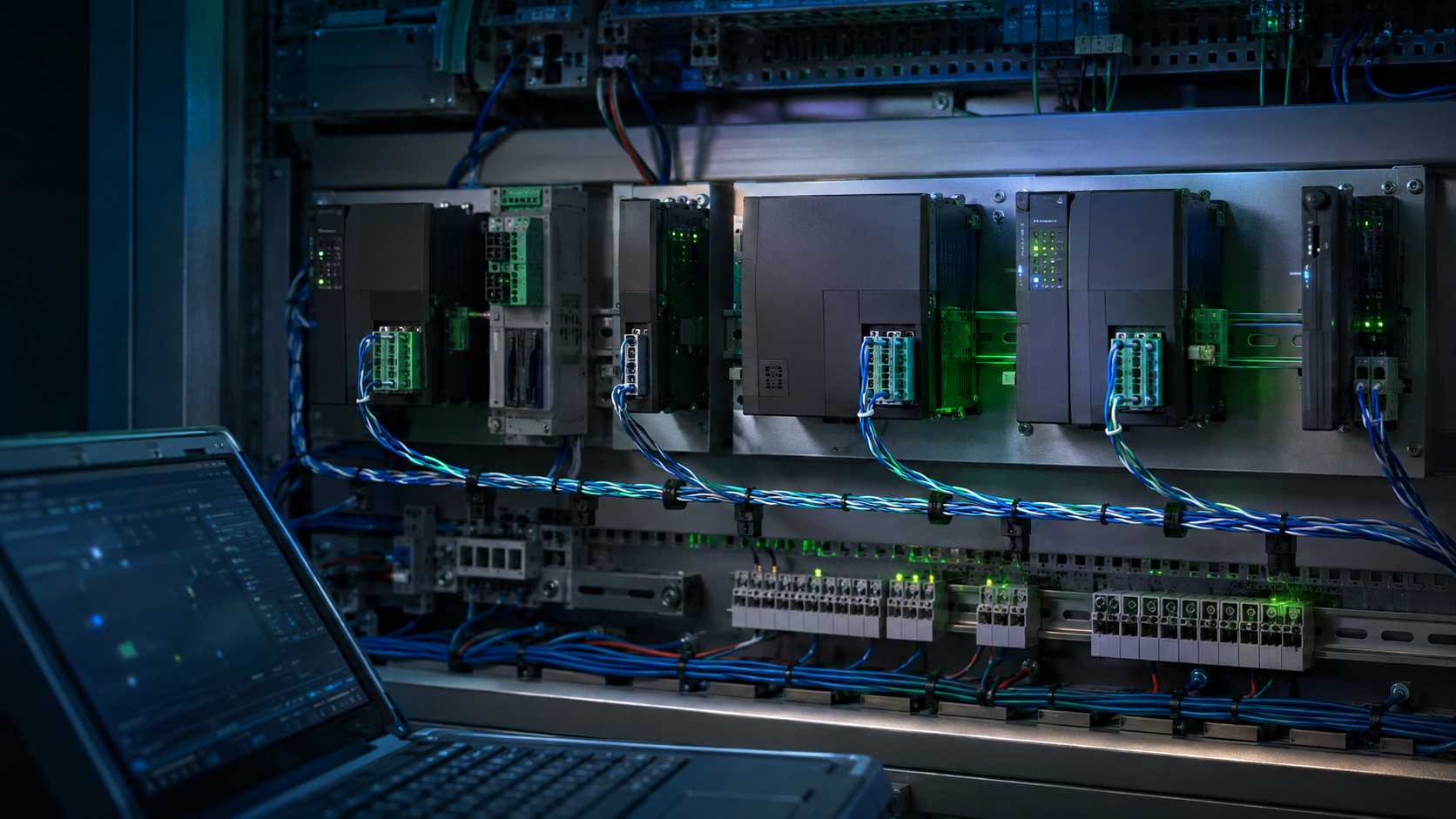
BACnet MS/TP devices offline again? Treat the segment as a complete RS-485 system. Power, wiring, topology, termination, addressing, traffic, and router performance should be verified before any controller is replaced.
Start With the Offline Pattern
When BACnet MS/TP devices keep going offline, start with the failure pattern and power, then inspect the physical bus, polarity, end-of-line termination, baud rate, MAC addresses, Device Instances, cable routing, trunk design, and router diagnostics. An intermittent offline status does not by itself prove that a controller has failed.
MS/TP Diagnostic Roadmap
- 10-Minute MS/TP Triage
- Recognize the Offline Pattern
- Shared Segment Failure Causes
- Isolate the Failure Boundary
- Interpret TX/RX Indicators
- Plan Split-Half Isolation
- Correct the Root Cause
- MS/TP Field Cases
- Diagnostic Tools
- Closeout Records
- MS/TP FAQ
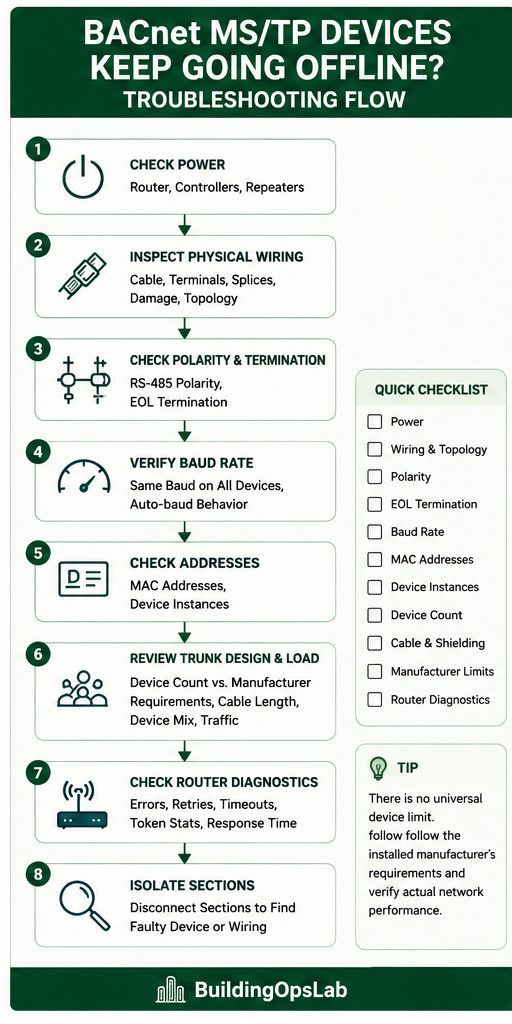
10-Minute MS/TP Triage
- Identify whether one device, one section, or the full trunk is affected.
- Verify power at the router, supervisory controller, field controllers, and repeaters.
- Inspect the RS-485 bus for loose terminals, damage, branches, and poor splices.
- Confirm consistent polarity.
- Verify termination at the two physical ends according to manufacturer requirements.
- Confirm compatible baud rates.
- Check unique MAC addresses and BACnet Device Instances.
- Review device count, cable length, device mix, and communication traffic.
- Inspect cable shielding, grounding, and noise exposure.
- Isolate sections and review router diagnostics.
Symptom: Devices Drop Offline and Return
BACnet MS/TP faults are often intermittent. A controller goes offline, returns later, and then another device disappears. Rebooting a router may temporarily restore communication without correcting the cause.
This behavior encourages random controller replacement, repeated reboots, or changes to baud rate and Max Master without a clear hypothesis. Those actions can hide the pattern or introduce a second problem.
Instead, troubleshoot the MS/TP network as a complete RS-485 system and use the physical failure boundary to narrow the investigation.
Shared Causes Across an MS/TP Segment
Typical causes include:
- Controller, router, or repeater power problems
- Damaged RS-485 wiring or poor splices
- Incorrect polarity
- Star wiring, T-taps, long stubs, or other poor topology
- Incorrect or missing end-of-line termination
- Baud-rate mismatch
- Duplicate MAC addresses
- Duplicate BACnet Device Instances
- Cable, shielding, grounding, or electrical-noise problems
- Poor trunk design or excessive communication traffic
- Router, controller, or transceiver limitations
- Manufacturer-specific configuration issues
MS/TP uses token passing over an RS-485 physical layer. A fault that distorts frames, interrupts the bus, resets a device, or confuses addressing can affect devices far from the original problem. That is why the location and timing of failures matter.
Isolate the Physical Failure Boundary
1. Identify the Failure Pattern
Determine whether the issue affects one controller, several nearby controllers, everything after a certain location, random controllers, or the entire trunk.
If everything downstream of one physical point disappears, inspect that section first. If the complete trunk disappears, start with the router, controller port, power, and trunk connection. If only one device fails, focus on its power, drop wiring, addressing, and transceiver before changing the whole segment.
2. Verify Power
Check power at the router, supervisory controller, field controllers, and repeaters if installed. Observe whether voltage is stable under operating conditions and whether devices are rebooting.
An intermittent 24 VAC problem can look exactly like a communication fault. For VAV applications, the field checks in VAV Box Not Cooling? also show why power should be verified before a controller is condemned.
3. Inspect the Physical Network
Look for loose terminals, cut or damaged cable, poor splices, unexpected branches, T-taps, star wiring, long stubs, abandoned cable, and renovation damage.
MS/TP is normally engineered as an RS-485 bus or daisy-chain network, but the installed manufacturer’s wiring requirements should always take priority. Document what is actually installed instead of assuming that drawings match the field.
4. Check Polarity and Termination
Confirm consistent RS-485 polarity throughout the segment. Then locate the two actual physical cable ends and verify end-of-line termination according to the installed equipment requirements.
Do not use MAC addresses to determine where the cable starts or ends. Address order is logical; termination belongs at the physical ends.
5. Verify Baud Rate
Devices sharing an MS/TP segment must use compatible communication settings. Common rates include 9,600, 19,200, 38,400, and 76,800 baud, while some products support additional rates or auto-baud functions.
Supported speeds and auto-baud behavior vary by manufacturer. Do not change every device until the existing design and the mismatch have been confirmed.
6. Review Device Count and Trunk Design
Do not use a universal rule such as “MS/TP is limited to 32 controllers.” Check the installed number of devices against baud rate and required response, controller and router requirements, transceiver characteristics, cable length and topology, third-party device mix, and actual error rate.
Even within one manufacturer, different products can publish different recommended or maximum device counts. Use the documentation for the equipment actually installed.
7. Check MAC Addresses and Device Instances
Verify that MS/TP MAC addresses are correctly configured and unique on the segment. Also verify BACnet Device Instances.
The two identifiers serve different purposes. A MAC address is used on the local MS/TP segment, while the Device Instance identifies the BACnet device more broadly. Duplicate values can create communication, discovery, or integration problems.
8. Inspect Cable, Shielding, and Noise Exposure
Check cable type, shield continuity, grounding, field splices, and routes near VFD or high-voltage wiring. Look for changes made during renovations or equipment replacement.
Follow manufacturer requirements rather than applying one universal shielding or grounding rule to every BAS network.
9. Divide the Trunk
For intermittent problems, isolate smaller sections of the network. If communication becomes stable after a section is disconnected, reconnect sections progressively.
This can identify damaged wiring, a failed transceiver, a poor splice, incorrect termination, electrical interference, or a problematic controller. Follow site procedures and record every temporary disconnection so the network is restored correctly.
10. Check Router Diagnostics
If available, review communication errors, retries, timeouts, bad frames, device response time, token statistics, Max Master, or Max Info Frames where applicable.
A network can remain online while still experiencing significant errors. The router may be the observation point rather than the failed component, so compare diagnostics with physical isolation results. See BACnet Router Problems: Why Devices Disappear for the router side of the investigation.
TX and RX LEDs: Useful Clues, Not a Diagnosis
A transmitter LED that blinks while the receive LED stays dark can support the hypothesis that a controller is attempting to communicate but is not receiving valid traffic. It does not prove which component has failed. LED names, colors, timing, and behavior are manufacturer-specific, and some products use the indicators for traffic that is not BACnet MS/TP.
| Observed Pattern | Possible Meaning | Next Verification |
|---|---|---|
| TX activity, no RX activity | Open or disconnected bus, reversed polarity, failed upstream connection, wrong communication settings, or no valid responses | Check the product manual, bus continuity, polarity, upstream wiring, baud rate, and neighboring-device behavior |
| TX and RX activity but device remains offline | Traffic is present, but addressing, routing, timeouts, errors, or object discovery may still be wrong | Review router diagnostics, unique MAC and Device Instance values, network numbers, retries, and error counts |
| No TX or RX activity | Loss of power, disabled port, incorrect mode, failed transceiver, or no communication demand | Verify power under load, port configuration, controller status, and manufacturer diagnostics |
Split-Half Isolation for an Unstable Trunk
- Record the complete device list, physical path, active alarms, and router error counters before disconnecting anything.
- Choose a documented physical midpoint, isolate one section under the approved site procedure, and protect critical equipment operation.
- Observe whether the retained section becomes stable; do not rely only on a momentary online indication.
- Continue dividing the unstable section until the fault is narrowed to a cable section, splice, device, or local power source.
- Reconnect in a controlled order and verify that the symptom returns only when the suspect boundary is restored.
- Repair the confirmed cause, restore every temporary disconnection and termination, then verify the complete trunk over time.
Corrections by Root Cause
Correct the confirmed failure and then verify the whole segment:
- Power problem: repair the confirmed transformer, terminal, conductor, fuse, or power-distribution issue under applicable electrical-safety procedures.
- Physical bus fault: repair damaged cable or a poor splice and restore the approved bus topology.
- Polarity or termination fault: correct polarity and termination according to the installed equipment documentation.
- Configuration mismatch: correct baud rate, MAC address, Device Instance, Max Master, or related settings based on the approved network design.
- Noise or cable problem: correct routing, cable, shield, grounding, or field-splice deficiencies using manufacturer requirements.
- Overloaded or poorly serviceable trunk: segment the network only when documentation and measured performance support that change.
- Failed device or transceiver: replace it only after isolation shows that the device destabilizes an otherwise sound segment.
After repair, reconnect all sections, remove temporary changes, confirm every expected device is online, and review error counts over time. A brief return to online status is not enough for an intermittent problem.
Field Cases From MS/TP Troubleshooting
At one commercial facility, an FCU MS/TP trunk contained a relatively large number of controllers and operated at 38.4 kbps. Device count was flagged for investigation, but it was not automatically considered the root cause. The team also had to consider controller types, router capability, topology, wiring, traffic, and measured network performance before deciding whether segmentation was justified.
At another site, communication loss was traced to an MS/TP cable that had been physically cut, with the two ends left in separate junction boxes. A temporary connection restored communication. The controllers themselves were not the problem.
Field Case: TX Active, RX Dark, and Two Corrections Before Recovery
At one facility, the server showed a controller offline even though the controller appeared powered and its local readings were normal. The controller TX indicator was active while the RX indicator remained off. Wire tracing identified a faulty communication-wire connection into an adjacent controller, and the connection was restored. A duplicate BACnet network number on the integration path was also corrected before communication was verified.
The important lesson is that one visible clue did not identify the complete root cause. Physical wiring and BACnet configuration both had to be checked. For a focused isolation example, see One Bad BACnet Controller Can Disrupt an Entire MS/TP Trunk. For the full topic structure, use the BAS and BACnet Troubleshooting Hub.
Evidence limit: Communication was verified after the wiring connection and network number were corrected. The service record does not isolate the contribution of each fault, provide before-and-after error counters, or define a follow-up monitoring period. The LED pattern was a diagnostic clue; it did not prove either root cause on its own.
Tools That Confirm the Fault
- BAS device lists, alarms, and trend logs
- Router or supervisory-controller diagnostics
- Accurate network drawings and field-marked cable path
- Multimeter used by a qualified person for power and approved electrical checks
- RS-485 or BACnet diagnostic tools appropriate to the installed system
- Controller, router, repeater, and cable manufacturer documentation
What to Record Before Closing the Call
Make the service record useful to the next technician. Record what was measured and what remains unverified; do not substitute an online icon for a documented recovery check.
- Affected devices, physical segment, symptom timestamps, and operating conditions.
- Power readings and router diagnostics actually obtained, including units and observation times.
- Isolation points, temporary disconnections, and the result observed at each step.
- Original and final settings, wiring repairs, and the evidence supporting each change.
- Expected devices restored, command and feedback checks completed, and remaining alarms.
- Confirmation that temporary wiring, termination changes, and overrides were restored or removed.
- Actual monitoring duration, error-counter behavior, unresolved items, and the person responsible for follow-up.
BACnet MS/TP Troubleshooting FAQ
How many controllers can be installed on one MS/TP trunk?
There is no universal number. Check the installed controllers and router requirements together with baud rate, cable design, transceiver characteristics, device mix, network traffic, and required performance.
Does baud rate affect MS/TP performance?
Yes. Baud rate affects available communication bandwidth, while wiring characteristics, termination, node count, traffic, and device behavior also affect actual performance.
Should I divide a large MS/TP trunk?
Sometimes. Segmentation can improve reliability, serviceability, and troubleshooting, but it should be based on the actual design and measured network behavior rather than an arbitrary device count.
Can one failed controller take down an MS/TP trunk?
Yes, a failed transceiver or wiring fault at one device can disrupt a segment. Isolate sections and devices methodically before replacing hardware.
BACnet and RS-485 References
- Carrier TS1 BACnet MS/TP Specifications
- Carrier TS2 BACnet MS/TP Specifications
- Honeywell/Alerton Modular VAV Controller BACnet Configuration
- Schneider Electric MS/TP Communications Baud Rate
Disclaimer
This article is for educational purposes only. Building automation networks and connected equipment can involve hazardous electrical conditions and critical building operations. Follow site procedures, manufacturer instructions, applicable codes, change-control requirements, and qualified-person requirements.