BACnet Device Instance vs MAC Address vs Network Number: What’s the Difference?
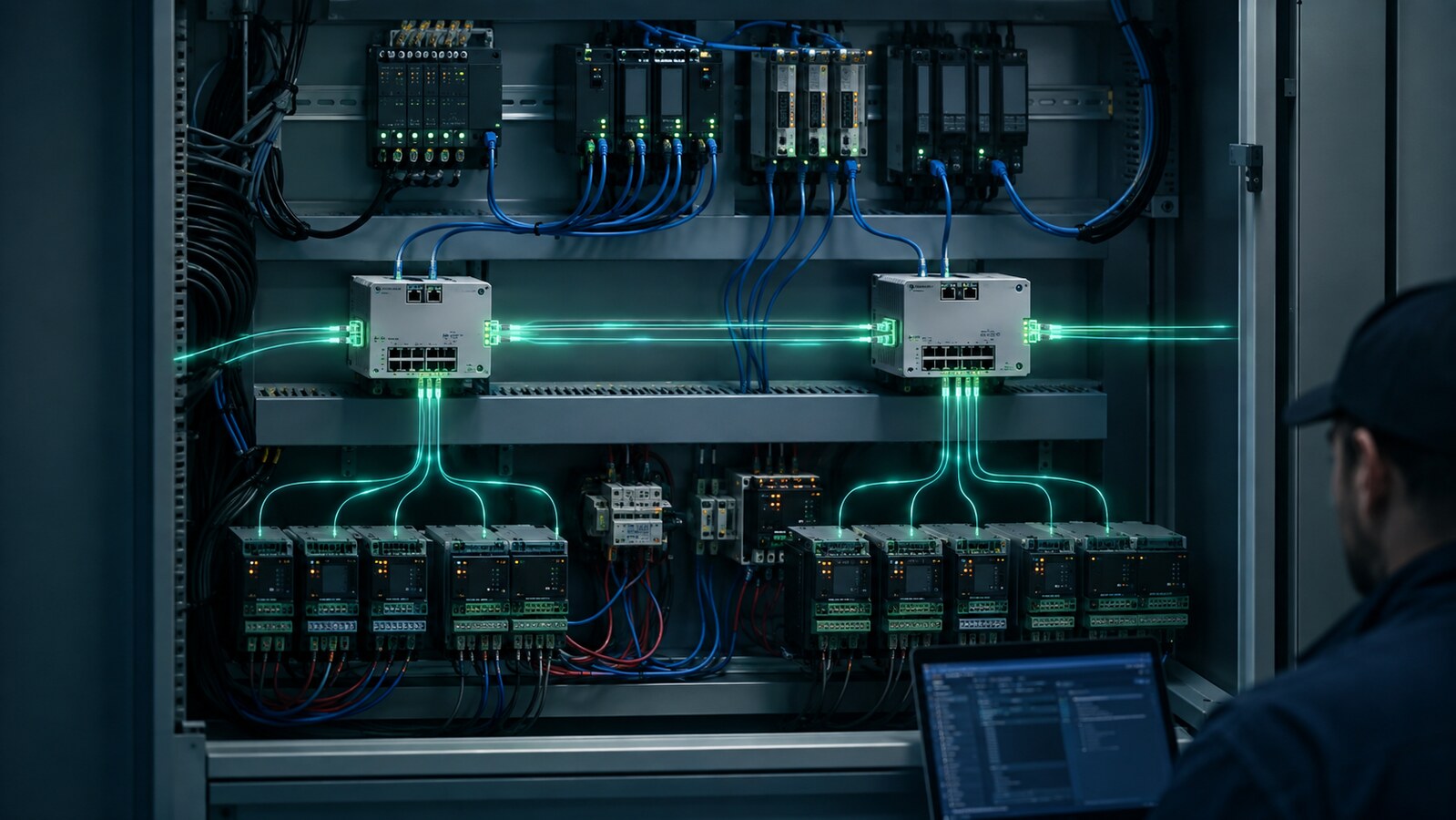
BACnet technicians work with several different numbers that can all look like “addresses,” but they do very different jobs. Device Instance, MS/TP MAC address, Network Number, and IP address are not interchangeable. Confusing them can produce duplicate devices, intermittent MS/TP communication, failed discovery, routing problems, and controllers that appear to disappear from the BAS.
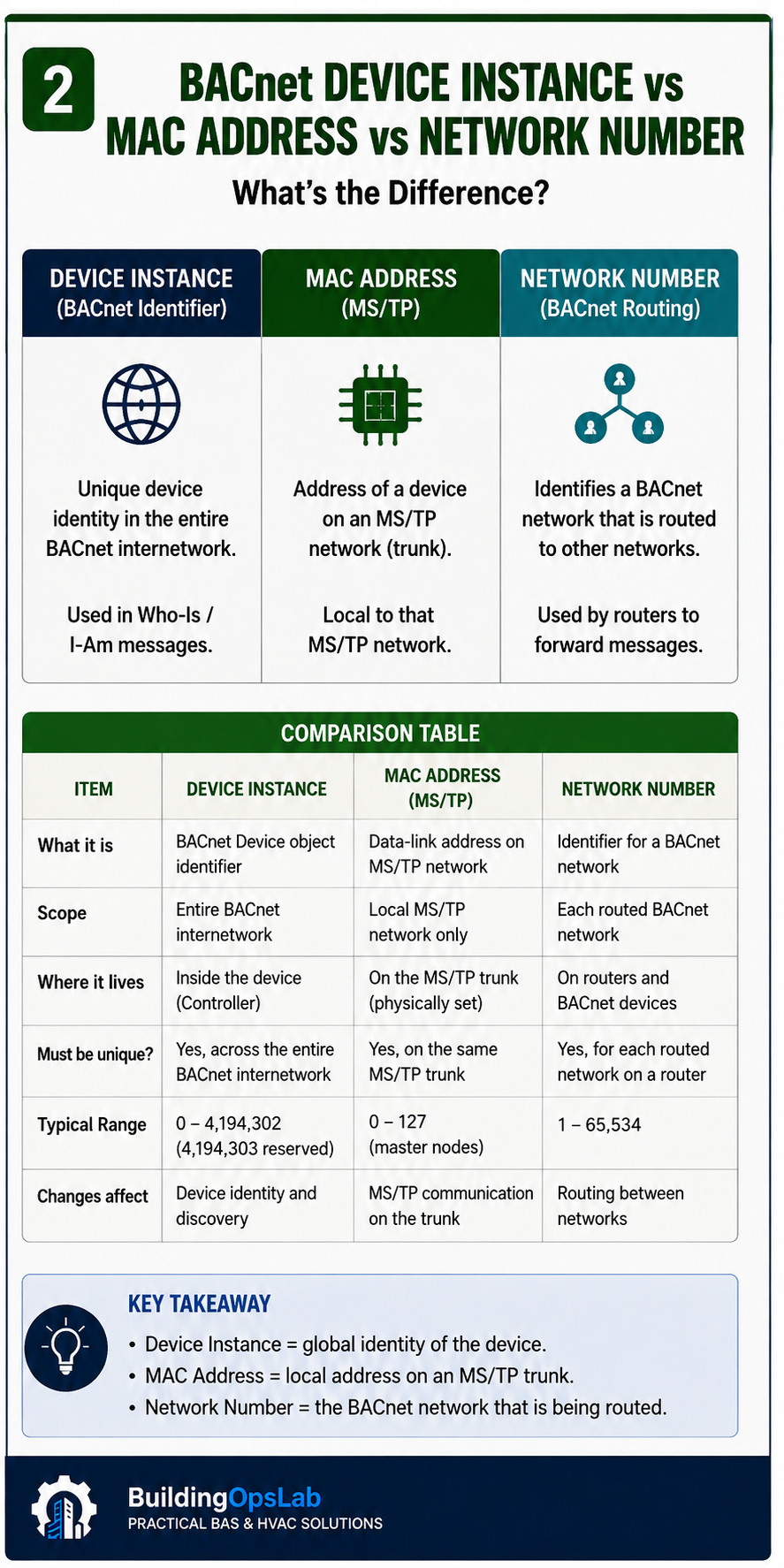
The simplest way to remember the difference is this: the Device Instance identifies the BACnet device across the internetwork, the MS/TP MAC address identifies a device on its local MS/TP data link, and the Network Number identifies the BACnet network used for routing.
In This Guide
- 1. BACnet Device Instance: “Which BACnet Device Is This?”
- 2. MS/TP MAC Address: “Where Is This Device on This Local Bus?”
- 3. BACnet Network Number: “Which BACnet Network Is This?”
- Device Instance vs MAC vs Network Number — Side-by-Side
- A Practical Example
- How to Troubleshoot BACnet Addressing Problems
- Real-World Field Examples
- BACnet Addressing Checklist
- FAQ
- Key Takeaways
Quick Answer
- Device Instance: the unique identity of a BACnet Device object across the BACnet internetwork.
- MS/TP MAC Address: the local data-link address used on one MS/TP segment; it must be unique on that local MS/TP network.
- Network Number: identifies a logical BACnet network for routing; each distinct routed BACnet network must have the correct unique network number.
- IP Address: an IP-layer address. It is not the BACnet Device Instance and it is not the BACnet Network Number.
1. BACnet Device Instance: “Which BACnet Device Is This?”
Every BACnet device contains exactly one Device object. The instance portion of that Device object’s Object_Identifier is commonly called the Device Instance or Device ID. BACnet requires the Device object identifier to be unique across the BACnet internetwork.
The Device Instance uses a 22-bit instance field. Valid device-instance assignments are normally 0 through 4,194,302; 4,194,303 is reserved by the BACnet standard for special use and should not be assigned as a normal device instance.
A Device Instance is not tied to a particular MS/TP MAC address. A controller can move to another MS/TP segment or have its local MAC address changed while retaining the same Device Instance, provided the BAS database and discovery architecture support the change.
What happens if two devices use the same Device Instance?
Discovery and binding become ambiguous because two physical devices are claiming the same BACnet identity. Depending on the system, you may see the wrong controller discovered, inconsistent online/offline behavior, failed mappings, or a device that repeatedly replaces another device in the database.
2. MS/TP MAC Address: “Where Is This Device on This Local Bus?”
On BACnet MS/TP, the MAC address is a data-link address used on the local RS-485 network. It participates in MS/TP communication and token management. It is not the Ethernet hardware MAC address printed on a network card.
The MAC address only needs to be unique on that local MS/TP network. Two completely separate MS/TP trunks can both contain a controller at MAC 10 because the trunks are different BACnet networks.
Current BACnet documentation distinguishes MS/TP manager and subordinate address ranges. Most modern HVAC controllers that participate as MS/TP managers are configured in the 0–127 range. BACnet also defines subordinate unicast addresses up to 254. Follow the controller manufacturer’s supported range and commissioning guidance rather than applying a generic value blindly.
What happens if two devices on the same MS/TP trunk share a MAC address?
The result can be severe and intermittent. Devices may collide logically on the bus, token behavior can be disrupted, responses can come from the wrong controller, and communication may become unstable for more than the two duplicate devices. A duplicate MAC is a local trunk problem; changing a Device Instance does not fix it.
3. BACnet Network Number: “Which BACnet Network Is This?”
A BACnet Network Number identifies a logical BACnet network for routing. The key concept is that a network number belongs to the network, not to an individual end device.
For a BACnet/IP-to-MS/TP router, the IP side represents one BACnet network and the MS/TP side represents another. The MS/TP network number advertised by the router must identify that trunk uniquely within the routed BACnet internetwork. Two different MS/TP segments should not be presented to the internetwork as the same BACnet network.
There is an important nuance: multiple routers attached to the same BACnet/IP network normally use the same BACnet/IP network number because they are connected to the same logical BACnet/IP network. “Unique network number” means unique per distinct BACnet network, not unique per router.
What happens when network numbers are duplicated incorrectly?
Routing becomes ambiguous. A BACnet router may not be able to determine which path leads to the intended destination, discovery may find devices through the wrong path, and remote MS/TP devices can appear duplicated, unreachable, or unstable.
Device Instance vs MAC vs Network Number — Side-by-Side
- Device Instance answers: Which BACnet device?
- MS/TP MAC answers: Which local node on this MS/TP network?
- Network Number answers: Which BACnet network should the message be routed to?
- IP Address answers: Which IP endpoint/subnet is used at the IP layer?
A Practical Example
Imagine two BACnet/IP-to-MS/TP routers on the same BACnet/IP backbone.
- BACnet/IP network: Network 100.
- Router A MS/TP trunk: Network 201.
- Router B MS/TP trunk: Network 202.
- Controller on Network 201: MAC 10, Device Instance 201010.
- Controller on Network 202: MAC 10, Device Instance 202010.
Both field controllers can use MAC 10 because they are on different MS/TP networks. Their Device Instances must still be unique across the internetwork. The two MS/TP trunks need different Network Numbers because they are different routed networks.
The numeric pattern in this example is only a human-friendly numbering scheme. BACnet does not require the Device Instance to be mathematically derived from the Network Number and MAC address. Some manufacturers auto-generate Device Instances this way, while others do not.
How to Troubleshoot BACnet Addressing Problems
Step 1: Define the scope
Determine whether the problem affects one device, several devices on one trunk, every device behind one router, or devices across the site. Scope tells you which identifier is most likely involved.
Step 2: Check the local MS/TP settings
- Unique MAC address on the trunk.
- Correct baud rate.
- Correct polarity and wiring.
- Correct end-of-line termination.
- Max Manager/Max Master settings appropriate for the device and network.
Step 3: Check the Device Instance
Confirm the controller’s Device Instance matches the BAS database and is not duplicated elsewhere in the internetwork. If you change a Device Instance, review mappings, bindings, integrations, and graphics that may reference the old identity.
Step 4: Check the router Network Numbers
Verify the BACnet/IP side and MS/TP side network numbers according to the site architecture. Distinct routed MS/TP trunks require distinct network numbers. Do not change a production network number casually: existing device mappings can depend on it.
Step 5: Rediscover only after the architecture is correct
Repeatedly deleting and rediscovering devices does not fix a numbering conflict. Correct the underlying MAC, Device Instance, Network Number, wiring, or router configuration first; then update discovery and mappings in a controlled way.
Real-World Field Examples
Wrong MAC, baud rate, and termination
At one site, restoring a BACnet MS/TP trunk included correcting addressing and physical-layer configuration: an incorrect MAC setting, baud-rate issues, and end-of-line termination were part of the restoration work. The case reinforced an important troubleshooting rule: do not treat “BACnet address” as a single setting. Local MAC, baud rate, wiring, and termination all belong to the MS/TP layer and must agree.
Duplicate network number on a legacy system
In a separate investigation, a BACnet network-number duplication was identified while reviewing controller and graphic problems. The existing legacy Honeywell controller could not be safely reconfigured without a reliable backup, so the recommended approach was to separate the networks with a BACnet router rather than make an uncontrolled change to the legacy controller.
That is a useful field lesson: the technically “cleanest” setting change is not always the safest operational change. Preserve recoverability and understand what existing mappings depend on before changing network architecture.
BACnet Addressing Checklist
- Is the Device Instance unique across the entire BACnet internetwork?
- Is the MS/TP MAC unique on this local trunk?
- Is the baud rate correct for the trunk?
- Are EOL termination and wiring correct?
- Does each distinct routed BACnet network have the intended Network Number?
- Are routers on the same BACnet/IP network using the same IP-side BACnet network number where the architecture requires it?
- Are database mappings still valid after any Device Instance or Network Number change?
- Is the BAS showing the expected physical device after rediscovery?
FAQ
Can two BACnet devices have the same MS/TP MAC address?
They can use the same MAC address only if they are on different MS/TP networks. Two devices on the same MS/TP segment must not share the same local MAC address.
Can two devices have the same BACnet Device Instance?
No. The Device object identifier must be unique across the BACnet internetwork.
Is a BACnet Network Number the same as an IP subnet?
No. A BACnet Network Number is a BACnet routing identifier. An IP subnet is part of the IP network layer. They can be planned together, but they are different concepts.
Should every BACnet router have a different BACnet/IP network number?
Not necessarily. Routers attached to the same logical BACnet/IP network normally identify that shared BACnet/IP network with the same network number. Their downstream MS/TP networks, however, must be identified correctly as distinct routed networks.
Key Takeaways
- Device Instance, MS/TP MAC, and Network Number solve three different addressing problems.
- A duplicate Device Instance is an internetwork identity conflict.
- A duplicate MS/TP MAC is a local trunk conflict.
- A duplicate Network Number can create a routing conflict when two distinct networks are advertised as one.
- Never change production addressing without understanding existing mappings and recovery options.
Related BuildingOpsLab Guides
Sources & Further Reading
- BACnet International — BACnet Glossary: Device Instance
- BACnet Committee — The Language of BACnet
- Johnson Controls — Portable BACnet/IP to MS/TP Router Installation Guide
- Johnson Controls — MS/TP Communications Bus Technical Bulletin
- BACnet International — Journal of Building Automation Issue 28: MS/TP Network Port Object requirements
Safety Disclaimer
This article provides general commercial HVAC and building-automation information. Always follow manufacturer documentation, site-specific procedures, and applicable safety requirements.