How to Troubleshoot an Offline JACE: A Practical Niagara 4 Field Guide
Offline JACE troubleshooting is faster when you stop treating “offline” as one fault. A Tridium JACE can lose its Supervisor connection while its local station controls normally. It can also remain network-reachable while the station is stopped, or stay online while a downstream BACnet trunk is unavailable.
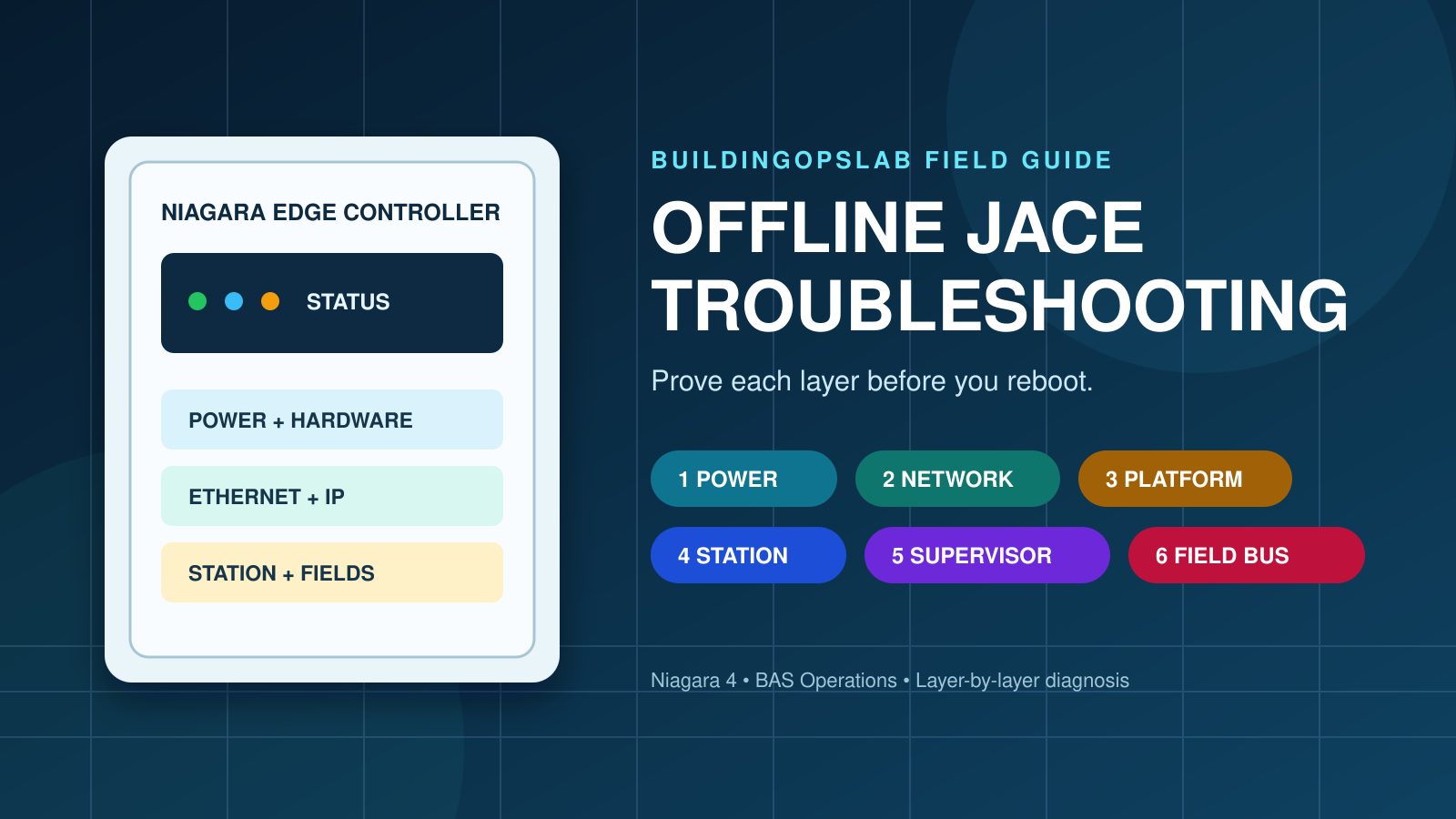
Test one layer at a time: power, Ethernet/IP, platform, station, Supervisor, and field networks. This order narrows the fault safely.
Quick Answer: What to Check First
Before rebooting an offline JACE, answer these questions in order:
- Does the controller have normal power and hardware status?
- Is the Ethernet link active, and can you reach the JACE from the correct network?
- Can you connect to the platform, the station, or both?
- Is only the Niagara Supervisor connection offline?
- Are local field controllers and equipment still operating?
- After recovery, are control loops, schedules, alarms, and trends behaving normally?
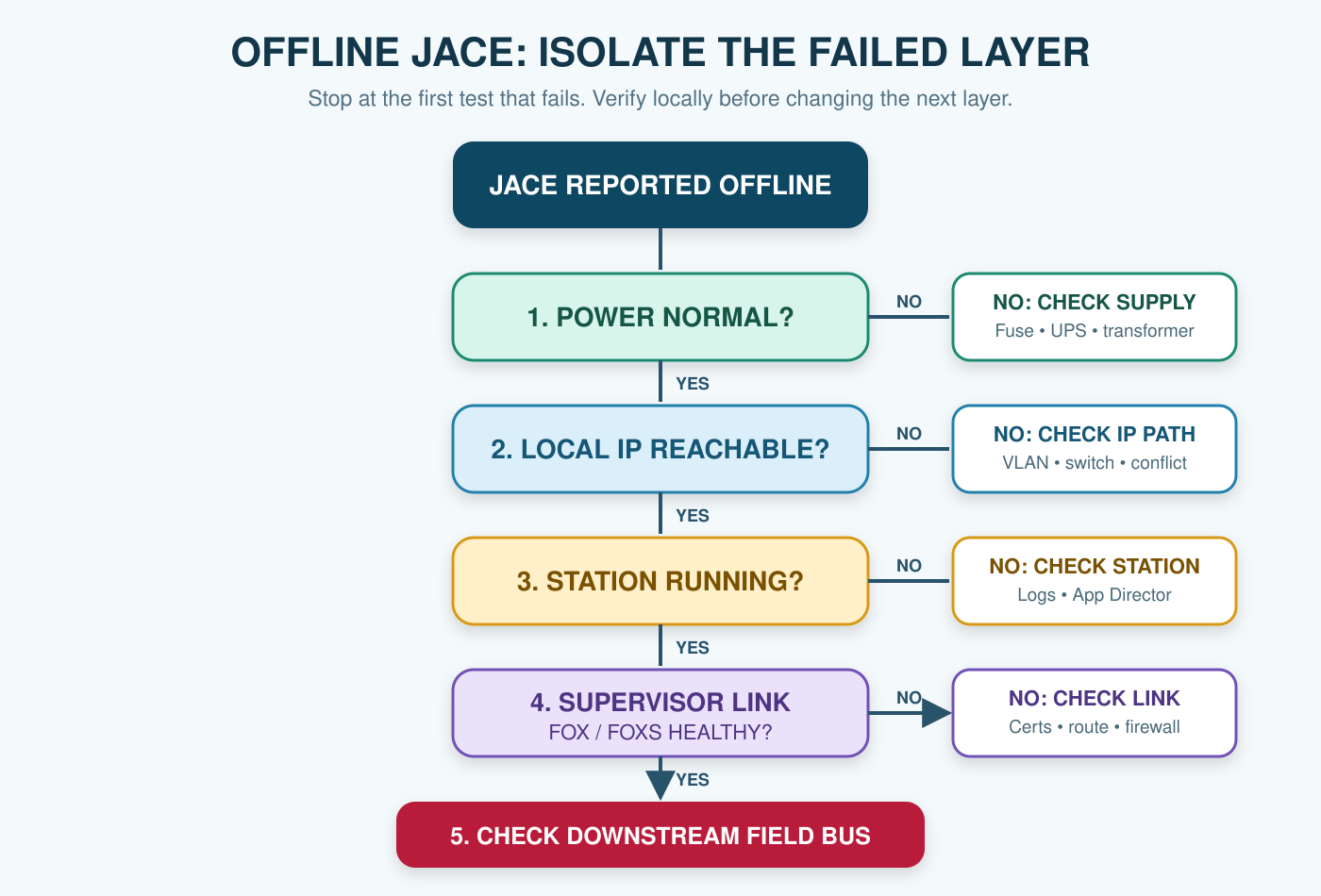
That sequence separates a building-control problem from a communications problem. It also prevents an unnecessary reboot from interrupting equipment that is still under local control.
What “Offline JACE” Can Actually Mean
A JACE is a Niagara edge controller that connects and controls building devices. The Supervisor is a separate server-level application for functions such as central data aggregation and management.
In the field, “the JACE is offline” may describe several different conditions:
- The IP address does not respond from the technician’s network.
- The platform service is unavailable, but the station is still serving data.
- The station is stopped or unresponsive, while the platform is reachable.
- The JACE is healthy locally, but its Niagara Network connection to the Supervisor is down.
- The JACE is online, but BACnet, Modbus, or other downstream devices are offline.
- Values are visible but stale because polling, subscriptions, or driver communications have failed.
Do not choose a repair until you know which condition you have.
Step 1: Confirm Power and Hardware Status
Start at the panel when site access is safe and permitted.
Verify the power source, disconnect, fuse, UPS, transformer, and terminations. Check for loose conductors, heat damage, water exposure, or repeated interruption. Compare indicators with the exact JACE model’s documentation; LED meanings are model-specific.
A blank controller does not automatically prove a failed JACE. The fault may be upstream at a fused terminal, transformer, power supply, or UPS output.
If the unit repeatedly restarts, document the indicator pattern and timing. Do not cycle power repeatedly; unstable power can resemble a software or network failure.
Step 2: Prove the Local Ethernet and IP Path
If the hardware is powered, check the physical network before changing Niagara settings.
Confirm link activity at the JACE and switch. Inspect the patch cable and port assignment. Test from an approved connection on the same local subnet. Local access that fails only from the Supervisor network points toward routing, VLAN, firewall, VPN, or access policy.
Check the documented IP address, subnet mask, gateway, and VLAN. Look for a duplicate IP, especially after replacement or network work. Compare static settings with approved documentation and coordinate changes with IT.
Ping is useful but not conclusive. ICMP may be blocked, and a reply does not prove that the Niagara platform or station is healthy.
Step 3: Separate Platform Access From Station Access
Niagara’s platform connection and station connection are different diagnostic paths. Test them separately from an approved Niagara Workbench workstation.
If platform access works but the station does not, check whether the station is running and review Application Director output and logs. Look for startup errors, repeated restarts, certificate issues, resource problems, or driver failures. Tridium’s troubleshooting material emphasizes this evidence over blind restarts.
If the station is available but platform access is not, local control may still operate. Review security settings, certificates, allowed services, and credentials using current Niagara 4 hardening guidance. Do not weaken TLS or enable an insecure service to force access.
If neither path works but Ethernet is proven, capture exact errors and timestamps. Record whether the error concerns timeout, TLS, certificates, authentication, or a service.
Step 4: Check the Supervisor-to-JACE Connection
When the JACE works locally but appears offline at the Supervisor, focus on the Niagara Network connection between them.
Verify the target address and approved Fox or FoxS configuration. Check credentials, certificates and trust, host names, and recent firewall or server-network changes. Tridium’s hardening guidance recommends secure FoxS and platform TLS, so certificate validity and trust belong in the workflow.
If several JACEs failed together, check the Supervisor service, network interface, VPN, firewall, and upstream switching before blaming individual controllers.
Use this comparison:
| Observation | Most likely layer to investigate |
|---|---|
| No power or normal indicators | Power supply, fuse, transformer, UPS, terminals, or hardware |
| Ethernet link present but local connection fails | IP settings, VLAN, switch port, duplicate IP, or access policy |
| Platform works but station does not | Station state, Application Director output, logs, resources, or startup error |
| Station works locally but Supervisor shows offline | Niagara Network, Fox/FoxS, certificates, credentials, routing, or firewall |
| JACE is online but many field devices are offline | Field-bus power, wiring, router, addressing, baud rate, or termination |
| Values are visible but stale | Driver state, polling, subscriptions, mapping, congestion, or source-device health |
Step 5: Separate the JACE From Its Field Networks
An online JACE does not guarantee that its downstream devices are communicating. Open the relevant driver network and check whether the outage affects one device, a continuous group, or the entire network.
For BACnet MS/TP, verify power, wiring, polarity, termination, baud rate, addressing, and router or serial-port configuration. For BACnet/IP, review network numbers, routing, and applicable broadcast-management settings. Follow the installed manufacturer’s requirements.
If only one equipment controller is offline, begin at that controller. If everything downstream of one physical location is offline, inspect the cable path around the last online and first offline devices. If every device behind the same JACE port is offline, investigate the shared port, router, power source, and trunk before replacing individual controllers.
For a detailed serial-bus workflow, see BACnet MS/TP Troubleshooting: A Complete Field Guide for BAS Networks.
Step 6: Verify Control After Communications Return
“Online” is not the end of the job. Confirm that values are current and that the system is controlling safely.
Check equipment enables, schedules, setpoints, modes, safeties, alarms, overrides, and commanded versus actual outputs. Verify trends and timestamps. Clear only alarms that have returned to normal.
For pumps and VFD systems, make sure the restored BAS connection has not introduced unstable speed commands or conflicting setpoints. The HVAC pump hunting guide explains how to separate communications issues from control-loop instability.
When a Controlled Restart Is Reasonable
A restart may be appropriate after confirming stable power, capturing evidence, checking the network path, and obtaining site approval or following a documented recovery procedure.
Avoid rebooting as the first test. A restart can temporarily hide a memory, resource, driver, certificate, or network problem without identifying the cause. It can also interrupt schedules and local control that were still working.
For recurring outages, record uptime, restarts, logs, Application Director output, resource use, network errors, and station workload. That evidence is more useful than saying the JACE “needed another reboot.”
Real Field Example: Local Control Was Fine
A chilled-water pump system appeared down at the Supervisor and generated unacknowledged communication alarms. The first assumption was that the field controller or JACE had failed.
A local check showed that the pump equipment and controller were operating correctly. The problem was in the JACE-to-server connection and point mapping, not the pump-control sequence. After the affected controller and points were correctly remapped and the connection was verified, the BAS graphics and statuses returned without replacing field hardware.
The lesson is simple: prove the local control layer before rebooting or replacing anything. A bad supervisory view can make healthy equipment look failed.
Offline JACE Troubleshooting Checklist
What to Collect Before Escalating
Provide the JACE model, Niagara version, fault time, power and indicator observations, IP information, platform and station results, exact errors, relevant logs, affected networks, and recent changes.
Do not send passwords, private keys, or unrestricted station backups through an unapproved channel. Use the organization’s secure support process.
Frequently Asked Questions
Can a JACE keep controlling equipment while it is offline from the Supervisor?
Yes. If the local station and field communications remain healthy, the JACE can continue executing local control even when the supervisory connection is unavailable. Always verify locally rather than assuming either condition.
If the JACE responds to ping, is Niagara working?
Not necessarily. Ping only confirms an IP response when ICMP is allowed. Platform services, the station, Fox/FoxS connections, and downstream drivers may still be unavailable.
Should I power-cycle an offline JACE?
Only after basic power and network checks, evidence capture, risk review, and site approval. Rebooting first can disrupt working control and erase useful diagnostic evidence.
Why are all BACnet devices offline while the JACE is online?
The failure is probably downstream of the JACE’s main Ethernet connection. Check the BACnet router or serial port, field-controller power, trunk wiring, baud rate, addressing, polarity, and termination.
What if the JACE outage keeps returning?
Treat recurrence as an unresolved root-cause problem. Correlate restarts, logs, resource use, driver behavior, power quality, switch events, certificates, and recent configuration changes before deciding whether software, hardware, or infrastructure is responsible.
Related Articles
Sources and Further Reading
- Tridium JACE Controller
- Tridium Niagara Technical Troubleshooting
- Tridium Niagara 4 Hardening Guide
- Tridium Niagara Supervisor
This article provides a general troubleshooting framework. Follow the installed equipment documentation, site safety procedures, change-control requirements, and qualified support guidance for your specific system.