One Bad BACnet Controller Can Disrupt an Entire MS/TP Trunk: How to Find It
Quick Answer
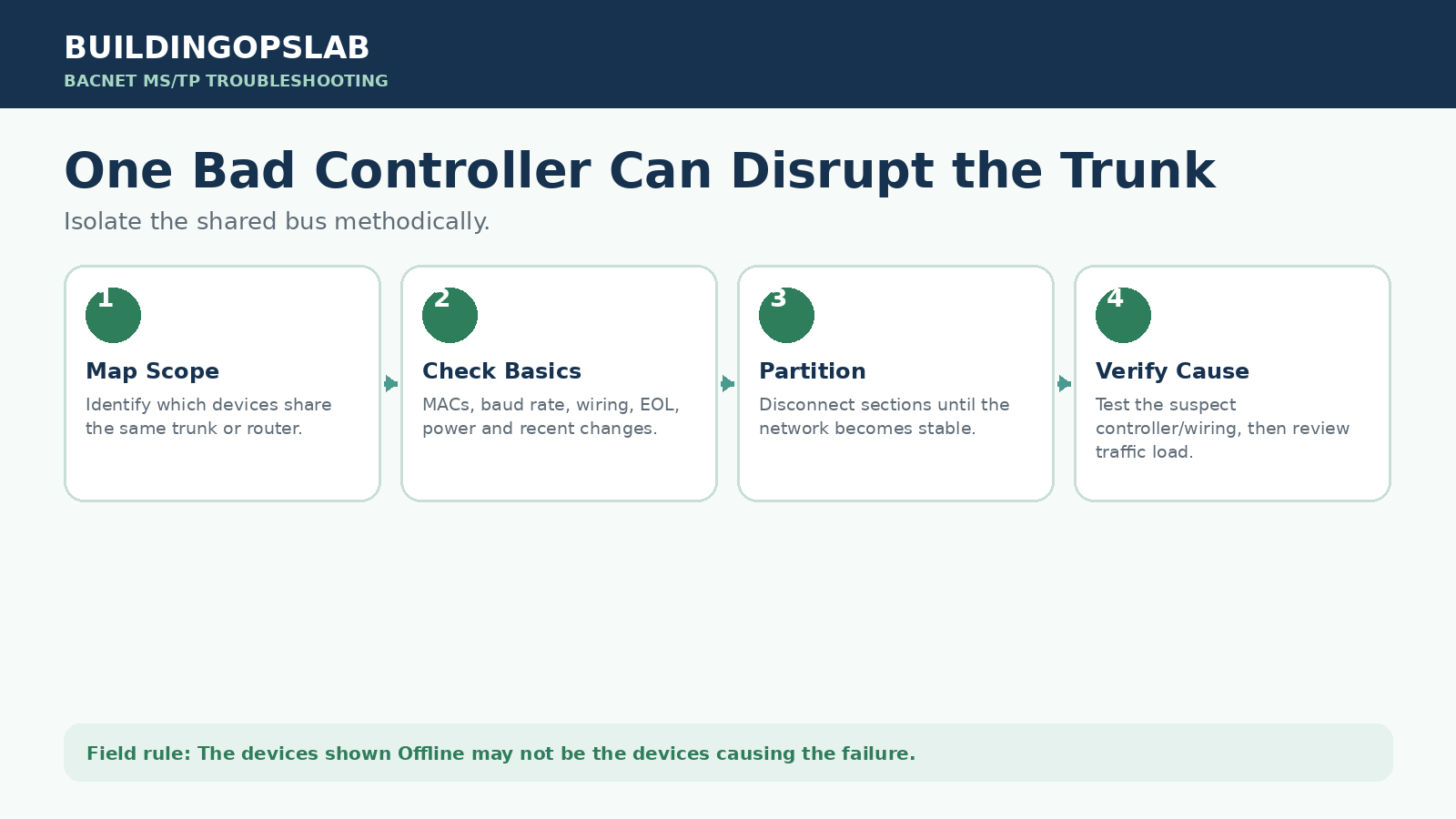
The controllers shown Offline may not be causing the failure. Because MS/TP is a shared RS-485 bus, one faulty controller, duplicate MAC address, wiring defect, unstable power source, or overloaded segment can disturb other devices. Map the scope, review diagnostics, check addressing and wiring, then partition the trunk methodically until the failing section or device is proven.
In This Guide
- Quick Answer
- Field Case: Recovery After Several Corrective Actions
- Remote Diagnosis and Before-You-Go Checklist
- The Problem
- Why It Happens
- How to Diagnose It
- How to Fix It
- Record the Test, Then Verify Recovery
- Field Checklist
- Frequently Asked Questions
- Related BuildingOpsLab Guides
- Sources
- Safety Disclaimer
Field Case: Recovery After Several Corrective Actions
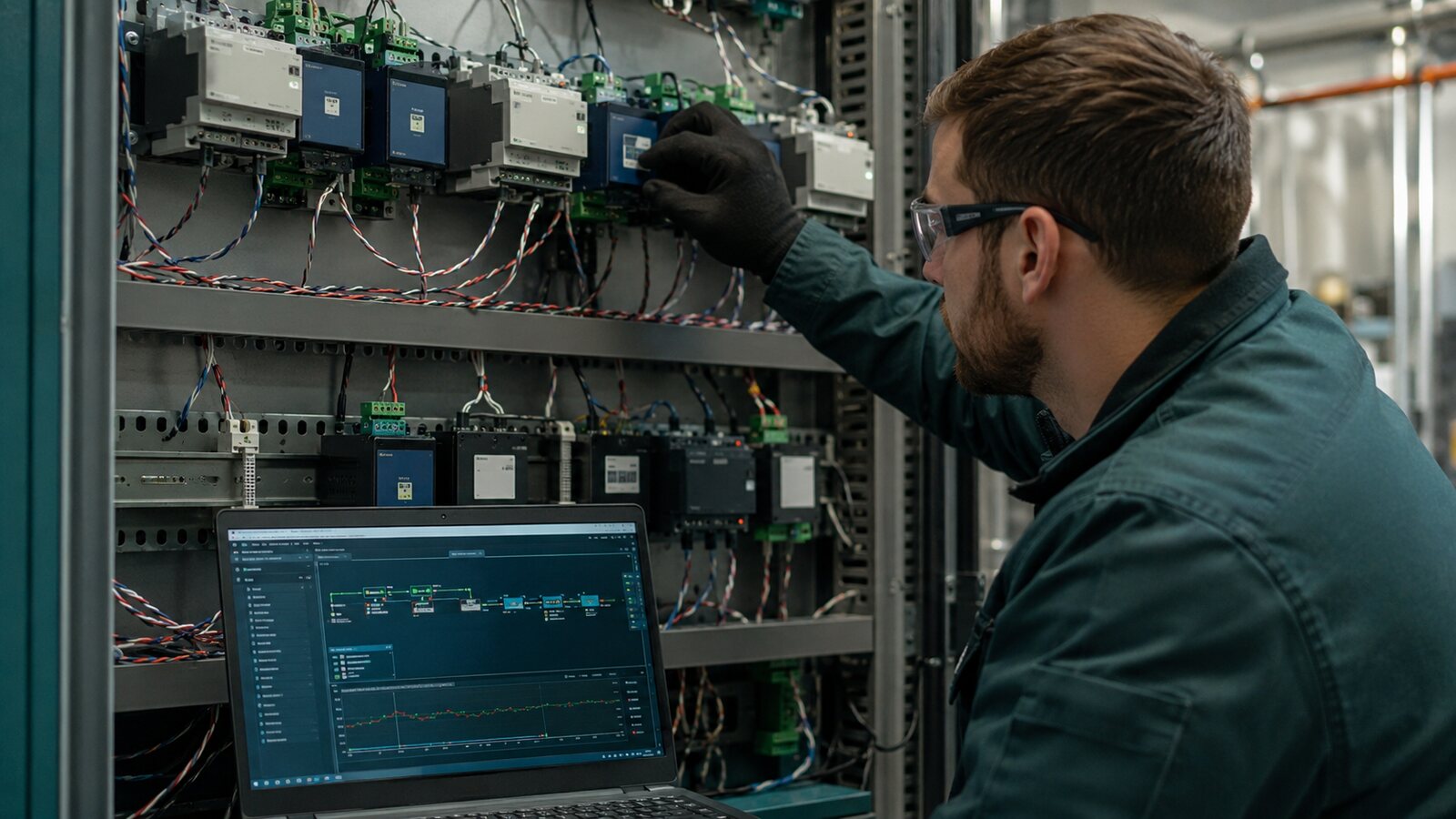
At one BAS site, a field controller was identified during investigation as contributing to communication instability affecting other controllers. The recorded corrective work was to reboot that controller, re-download its application, and slow supervisory polling to reduce communication traffic.
What the record supports
The published service summary reports improved communication after the combined work. It does not include before-and-after error counts, the exact polling settings, a defined observation period, or results from separate isolation tests. No component-level hardware failure or controller replacement is documented.
What cannot be concluded
Because several changes were made, the record does not establish which action produced the improvement. A reboot or successful download does not by itself prove a failed transceiver, a corrupt application, or excessive polling as the sole cause. Describe this as reported recovery after corrective actions, with the root cause not fully isolated.
How to make the next investigation stronger
Preserve the original diagnostics, record each authorized change with its time, and observe the same devices and operating conditions afterward. Where practical and safe, change one variable at a time. If service restoration requires multiple changes together, document that limitation rather than assigning the result to one repair.
Remote Diagnosis and Before-You-Go Checklist
- Start remotely: map the affected controllers to their physical trunk and router. Capture offline transitions, data freshness, error counters where available, and recent downloads or configuration changes. An offline graphic is a symptom, not a hardware diagnosis.
- Prepare the visit: obtain the trunk drawing or device list, controller models, address settings, backup files, and manufacturer wiring instructions. Identify equipment that depends on network values and coordinate the outage and rollback plan with site operations.
- Onsite checks: verify power, wiring, termination, and device behavior using the installed manufacturer procedures. Arrange suitable diagnostic tools and authorized electrical-test equipment; LED activity alone is not proof of valid communication.
- Remote changes: only reboot, download, or tune communication after understanding the equipment impact and having an approved recovery path. Remote access may be lost during the test. Do not use repeated reboots to hide a recurring fault.
The Problem
One controller develops a problem, then several unrelated devices begin cycling offline. Some recover, others disappear, and the supervisor becomes slow or unstable. MS/TP devices share a physical bus and participate in token passing, so the visible offline devices may only be victims of a fault elsewhere on the same segment.
Map affected devices → identify the shared trunk or router → check addresses and wiring → partition the bus → isolate and verify the cause
Why It Happens
MS/TP is a shared communications bus
A physical-layer or device fault at one location can affect other controllers using the same segment. Troubleshooting must focus on what the affected devices share.
Duplicate MAC addresses disturb token passing
Two devices on the same MS/TP segment cannot use the same MAC address. Duplicates can degrade performance, prevent devices from coming online, or stop communication.
A controller can disturb the physical layer
A device may have power and local operation while a failing transceiver, damaged communication terminal, intermittent power condition, or internal fault disrupts the bus.
Wiring defects imitate controller failures
Loose connections, reversed polarity, shorts, poor splices, incorrect EOL termination, excessive stubs, shield or grounding problems, and electrical noise can create widespread symptoms.
Excessive traffic can worsen instability
Unnecessary point mapping, aggressive polling, unstable COV sources, excessive trends, or duplicate supervisory integrations may overload a marginal trunk.
How to Diagnose It
Step 1 — Determine the scope
Map whether the issue affects one controller, several devices on one trunk, all devices behind one router, multiple trunks, or only the supervisor.
Step 2 — Review live diagnostics
Look for increasing errors, retries, token-loop issues, duplicate identifiers, or devices repeatedly cycling online and offline while the fault is active.
Step 3 — Ask what changed
Controller replacement, address changes, downloads, new devices, extended wiring, router replacement, or a new supervisory integration can provide the fastest clue.
Step 4 — Check MAC addresses and Device Instances
The MS/TP MAC is local to the bus; the BACnet Device Instance identifies the device across the internetwork. Check both after additions, replacements, or cloning.
Step 5 — Verify baud rate and trunk configuration
Confirm compatible baud rate, router network numbers, and device settings. Avoid changing Max Master or timeout values casually.
Step 6 — Inspect the physical bus
Check polarity, terminals, cable, splices, EOL termination, shield and grounding, device power stability, and nearby noise sources.
Step 7 — Partition the trunk
Use a planned, authorized interruption with the affected equipment and network dependencies identified. Record the topology and termination before disconnecting a section, and follow the manufacturer procedure for the remaining segment. If the remaining bus stabilizes, investigate the removed section, changed termination, and reduced load; do not treat that observation alone as proof of a failed controller.
Step 8 — Isolate the suspect controller or wiring segment
Test one suspect device or wiring section at a time where practical and safe. Document what changed and what remained connected. If stability improves, verify the device, its power and local wiring, addressing, and the resulting bus topology before replacing hardware. Do not reconnect a known disruptive device merely to reproduce a fault on occupied or critical equipment.
Step 9 — Check the suspect device locally
Verify power, status LEDs, program, communication settings, hardware condition, and recent downloads. Back up the program before re-downloads where possible.
Step 10 — Review supervisory traffic after the physical bus is stable
Only after addressing and wiring are proven should you reduce unnecessary mappings, polling, COV traffic, trends, or duplicate integrations.
How to Fix It
Duplicate address
Assign a unique MS/TP MAC and verify the BACnet Device Instance after replacement or cloning.
Wiring or termination problem
Correct polarity, connections, cable defects, splices, shield and grounding, or EOL termination, then monitor under normal operation.
Failing controller
Back up the program, verify configuration, reboot or re-download when appropriate, and replace hardware only when the device is proven to be the source.
Router or network-number problem
If all affected devices share a router, verify its power, configuration, network numbers, and health before replacing field controllers.
Excessive traffic
After the physical bus is stable, remove unnecessary mappings and review polling, COV behavior, trends, and unstable sensors.
Record the Test, Then Verify Recovery
Use the following as a blank investigation framework, not measured results from the field case. Keep sensitive device identifiers and site drawings in the authorized service record.
| Test stage | Evidence to record | Limit on the conclusion |
|---|---|---|
| Before a change | Affected devices, timestamps, topology, data age, errors and retries where available | Several offline devices do not prove several failed controllers |
| Controlled isolation | Exact device or cable section removed, termination arrangement, and behavior of the remaining bus | Improvement narrows the suspect area; it does not by itself distinguish device, wiring, termination, or reduced load |
| Corrective action | One authorized change at a time where practical, original and final settings, backup and rollback information | Combined changes prevent a clean attribution to one action |
| Return to operation | Device list, fresh values, alarms, trends, network-dependent sequences, and observation duration | One successful discovery or an Online label is not a sustained recovery test |
After restoring the intended topology and termination, compare diagnostics over comparable observation periods. Note any counter reset caused by a reboot. Verify data updates and the affected equipment functions under normal supervisory traffic, release temporary overrides, and document unresolved dropouts. Choose the observation period and acceptance criteria from the site requirements and manufacturer guidance; there is no universal pass time for every trunk.
Field Checklist
- ☐ Map affected devices to the correct trunk and router
- ☐ Review recent controller and network changes
- ☐ Check MS/TP MAC addresses for duplicates
- ☐ Check Device Instances after replacements or cloning
- ☐ Verify compatible baud-rate configuration
- ☐ Check router network-number configuration
- ☐ Inspect polarity, cable, splices, EOL, shield, grounding, and device power
- ☐ Partition a severely unstable trunk methodically
- ☐ Disconnect suspect controllers one at a time
- ☐ Observe whether stability returns after each isolation
- ☐ Back up programs before re-downloads where possible
- ☐ Review polling and COV traffic only after the physical bus is stable
- ☐ Monitor the trunk after corrective action
Frequently Asked Questions
Can one BACnet controller affect other controllers?
Yes. MS/TP devices share an RS-485 bus, so addressing, physical-layer, hardware, or communication faults can disturb otherwise unrelated devices.
What happens when two MS/TP devices share a MAC address?
Communication can become slow or intermittent, devices may fail to come online, and severe cases can disrupt the bus.
Is a BACnet Device Instance the same as an MS/TP MAC?
No. The MAC is used on the local MS/TP segment. The Device Instance identifies the BACnet device across the wider internetwork.
Should I reboot every controller when the trunk fails?
Usually not. Random reboots can temporarily change symptoms and make root-cause isolation harder. Document the failure and isolate the network methodically.
How do I find the bad controller on an unstable trunk?
Partition the bus, determine which section causes the instability, then narrow that section until an individual controller or wiring segment can be tested.
Can excessive polling make devices appear offline?
Heavy traffic can contribute to slow or unstable communication, but traffic tuning should not be used to hide duplicate addresses, bad wiring, or failing hardware.
Related BuildingOpsLab Guides
- BACnet MS/TP Devices Keep Going Offline
- BACnet Device Instance vs MAC Address vs Network Number
- VFD BACnet Integration
Sources
Technical references used to validate this troubleshooting framework. Manufacturer-specific values and procedures apply only to the equipment identified in the referenced documentation.
- Johnson Controls — Metasys MS/TP Communications Bus: Common Problems
- Johnson Controls — Facility Explorer MS/TP Bus Troubleshooting
Safety Disclaimer
This guide is for general educational use by qualified building-automation, HVAC, and electrical personnel. Follow the installed manufacturer documentation, site procedures, applicable codes, lockout/tagout requirements, and required personal protective equipment. Do not bypass safety devices or perform energized testing unless you are trained, authorized, and the procedure specifically requires it.